



FreeSense Fleet: manage every firewall from one place (1.2 preview)
Fleet is central management for FreeSense: guided joining, a live dashboard and wall-screen view, updates in rings, policies, backups and HA pairs. Available now in the Development build.
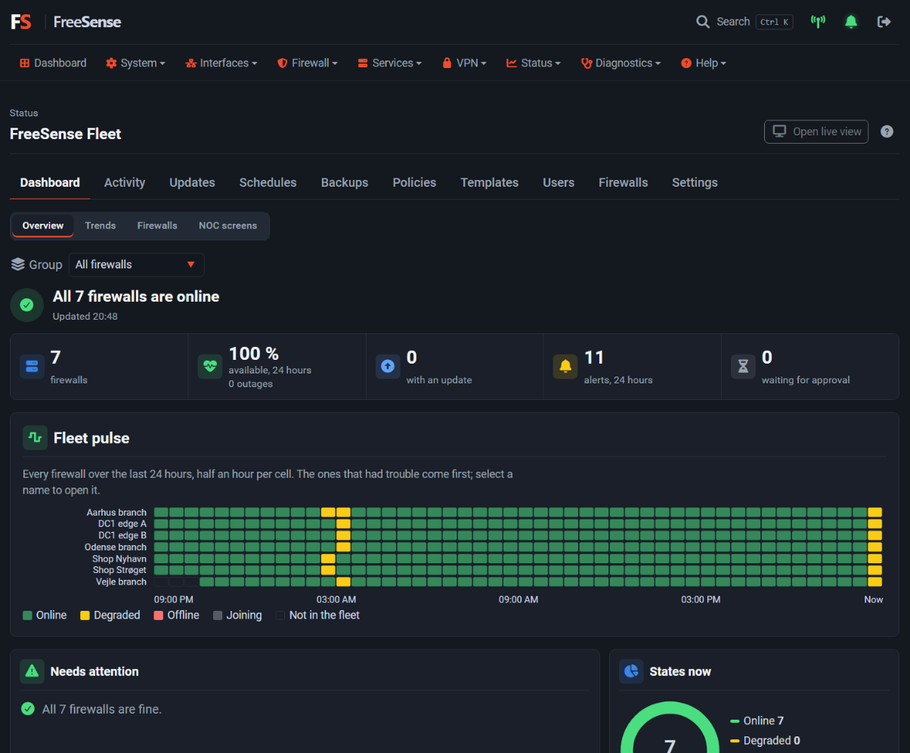
FreeSense Fleet is the first big feature of the 1.2 line. One firewall runs the Fleet controller
(the optional package FreeSense-pkg-Fleet); every other firewall joins it with the agent that is part
of FreeSense itself. Firewalls open the connection, so they can sit behind NAT.
What you get
- Guided joining: make an invitation, paste it into Add to fleet on the new firewall and compare a 6-digit code before you approve. Use the Fleet tunnel, Tailscale or a direct connection.
- A live dashboard and a wall-screen view with groups, 24-hour availability, alerts and internet quality for every firewall.
- Updates in rings with maintenance windows, rolling reboots, templates and schedules.
- Policies that audit, fix or lock settings on every firewall.
- HA pairs set up from two firewalls in a step-by-step guide, with an optional encrypted link.
- Backups of every firewall, kept on the controller.
How far it has been tested
In our lab, one controller managed seven firewalls (one of them over Tailscale). A three-ring update of all seven took 20 minutes, and an HA pair failed over within seconds when its MASTER lost power. The status page lists what was tested and what has not been proven yet.
Development only
Fleet is part of the Development line, is experimental and unsupported, and is not in Stable 1.1. Do not manage production firewalls with it yet. Installed Development systems receive it with the nightly build; the controller is installed from System → Package Manager.