

Verifiable protection
The pf packet filter on FreeBSD, with every image built in public CI from pinned sources and signed before it reaches you.


The firewall you can verify, from source to image.
FreeSense is a new, open-source firewall and router built on FreeBSD. Every release is built in public CI from pinned sources and signed. No accounts, no telemetry, no artificial limits.
A complete firewall with nothing held back, and a build you can check line by line.
The pf packet filter on FreeBSD, with every image built in public CI from pinned sources and signed before it reaches you.
A reworked WebUI with grouped menus and Ctrl+K menu search, plus a REST API for everything you would rather script.
One edition with every feature. Apache-2.0, no accounts or activation, no telemetry or phone-home.
FreeSense 1.1 replaced 1.0 as the supported Stable line, with a rebuilt interface and new ways to automate it.
ZFS boot environments snapshot the whole OS before an upgrade, so you can roll back from the WebUI or the boot menu.
Write rules in the WebUI or drive them from the API. Threat Shield filters DNS for the whole network with AdGuard Home.
| PASS | LAN net | any | keep state |
| BLOCK | <threats> | WAN | quick |
| PASS | any | WAN :51820/udp | WireGuard |
| PASS | VLAN 20 | DNS :53 | Threat Shield |
| BLOCK | any | WAN | log |
Read live from the signed release feeds and GitHub. Every build is pinned to exact source, ports and FreeBSD revisions you can inspect.
The release feed could not be read just now. The Stable release notes list every change.
The release feed could not be read just now. See the latest commits on GitHub.
Recent commits could not be loaded. Browse FreeSense-org on GitHub.
The newest Development build was produced from these exact revisions. Pin, build, sign, publish, all in public CI.
Source, ports, OS definition and FreeBSD fixed to exact commits.
System and packages built from that sealed set in public CI.
Repositories and images signed with the project key.
Verified images go up first, then the channel advances.
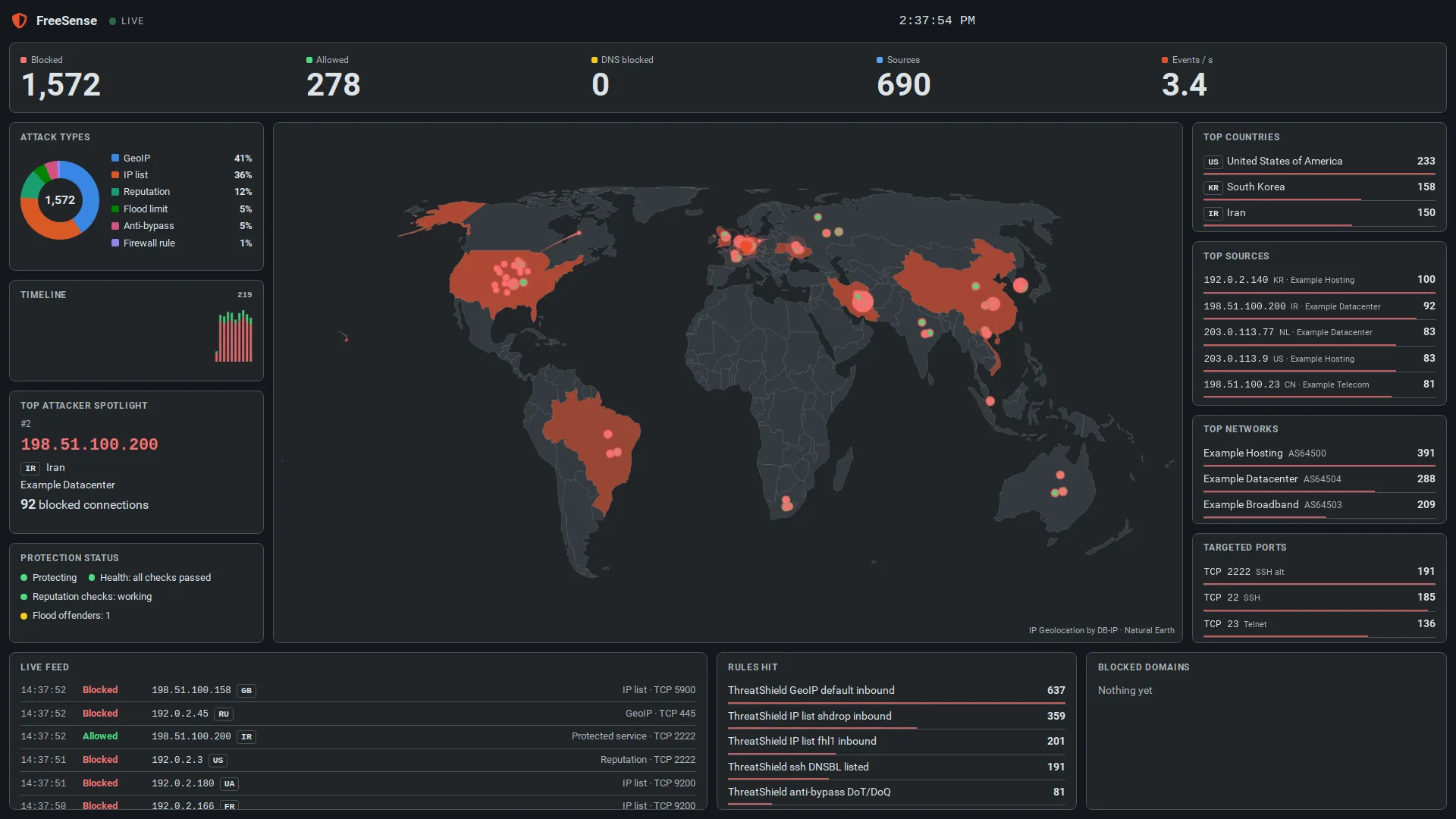
DNS filtering, IP threat lists and country blocking, with a live threat map and a full-screen kiosk board in four styles. One of 34 optional packages that the project builds and signs.
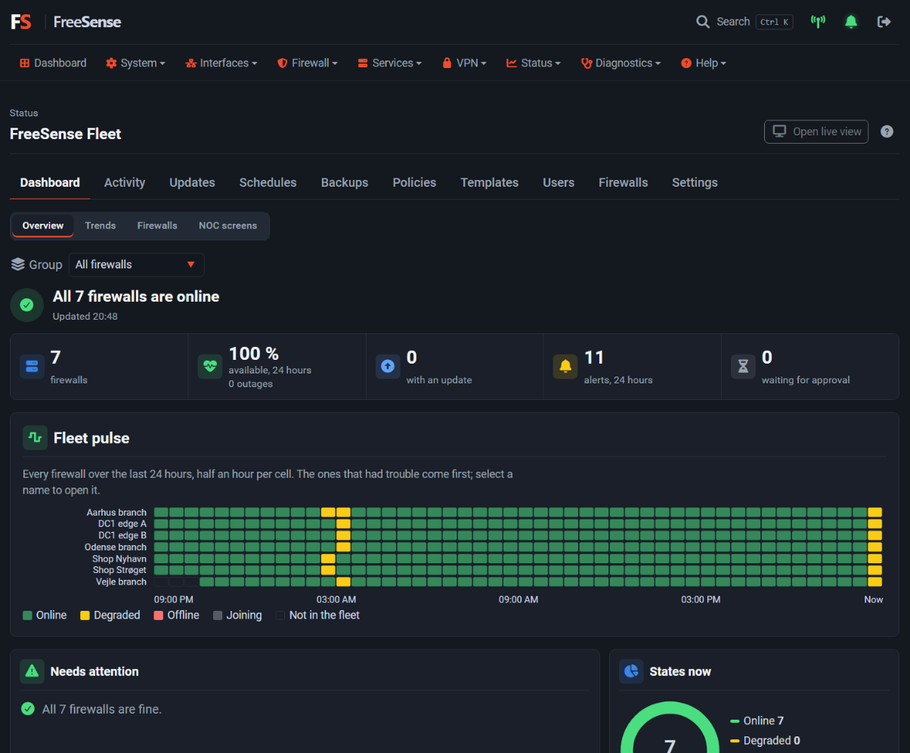
Self-hosted and private: not a cloud service, with no account and nothing sent to FreeSense. Join firewalls with a pasted invitation, watch them on a live dashboard or a wall screen, then back up, update and check them against policies together. Run the controller on your own network or on a public host that you control.
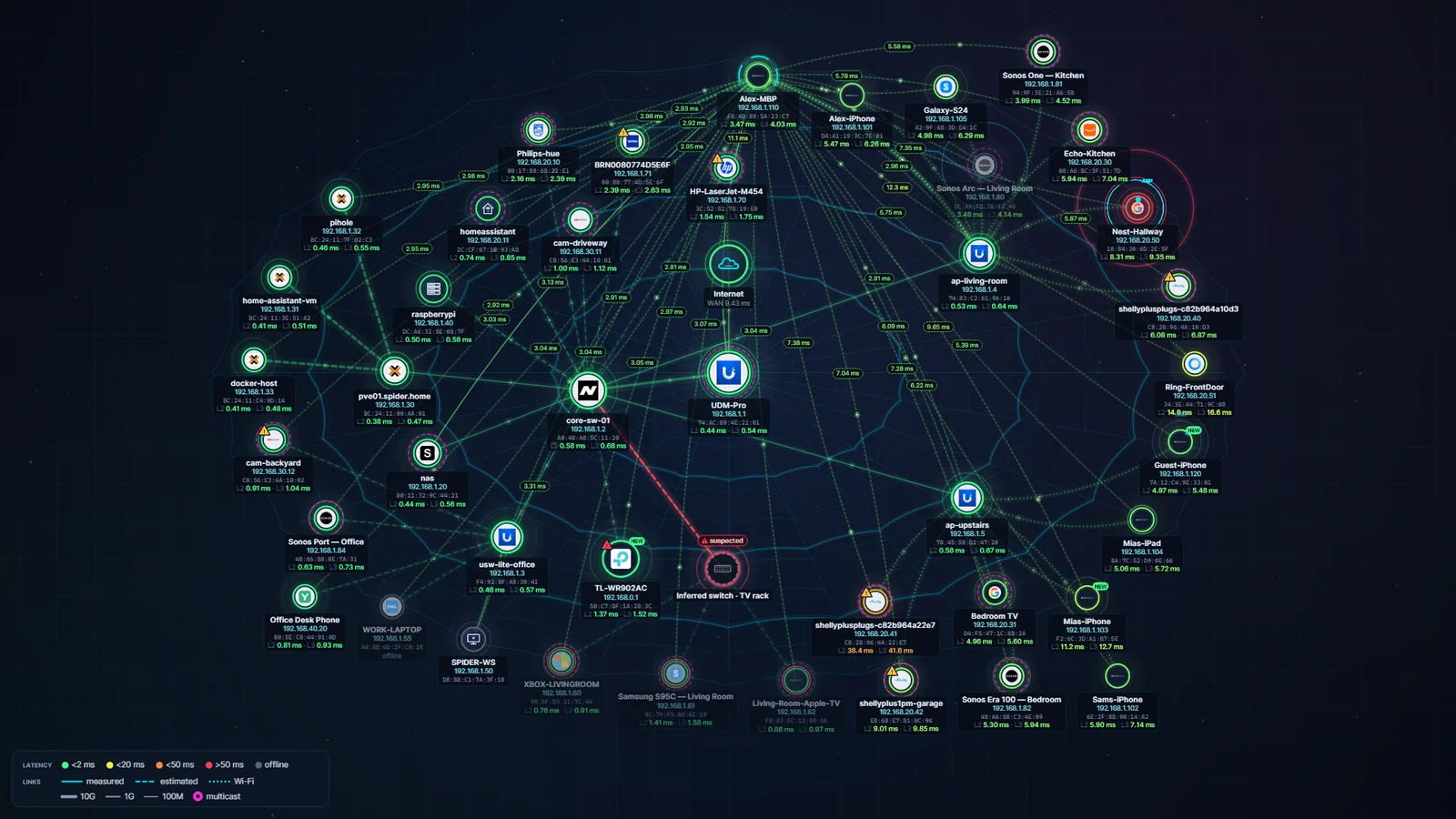
Layer 2 and Layer 3 network diagnostics for Windows: device discovery, MAC-level latency, Path Doctor fault localization, Storm Center and Wi-Fi ↔ LAN testing, drawn as a live spider web.
A Stable patch that supersedes 1.1.10. It carries the same PHP 8.5.12 security fix and brings the ZFS and UFS cloud images back, now with the VMware guest tools. Nothing to do first.
A Stable security patch. PHP 8.5.12 fixes CVE-2026-109618 and CVE-2026-109619, two critical remote code execution flaws in PHP itself. It also hardens the WebUI, updates HAProxy to 3.4.7 and fixes two smaller problems.
DevelopmentFleet is not a cloud service. The controller is a FreeSense system you run, your data stays on it, and nothing is sent to FreeSense.
Install on your own hardware, a virtual machine or a cloud disk. Already on 1.0? Upgrade in place; moving from 1.0 to 1.1 is one-way.