


Introducing NetSpider: see exactly where your network breaks
NetSpider joins the FreeSense family: a free, open-source Layer 2 / Layer 3 diagnostic tool for Windows that maps every device and pinpoints the failing hop.
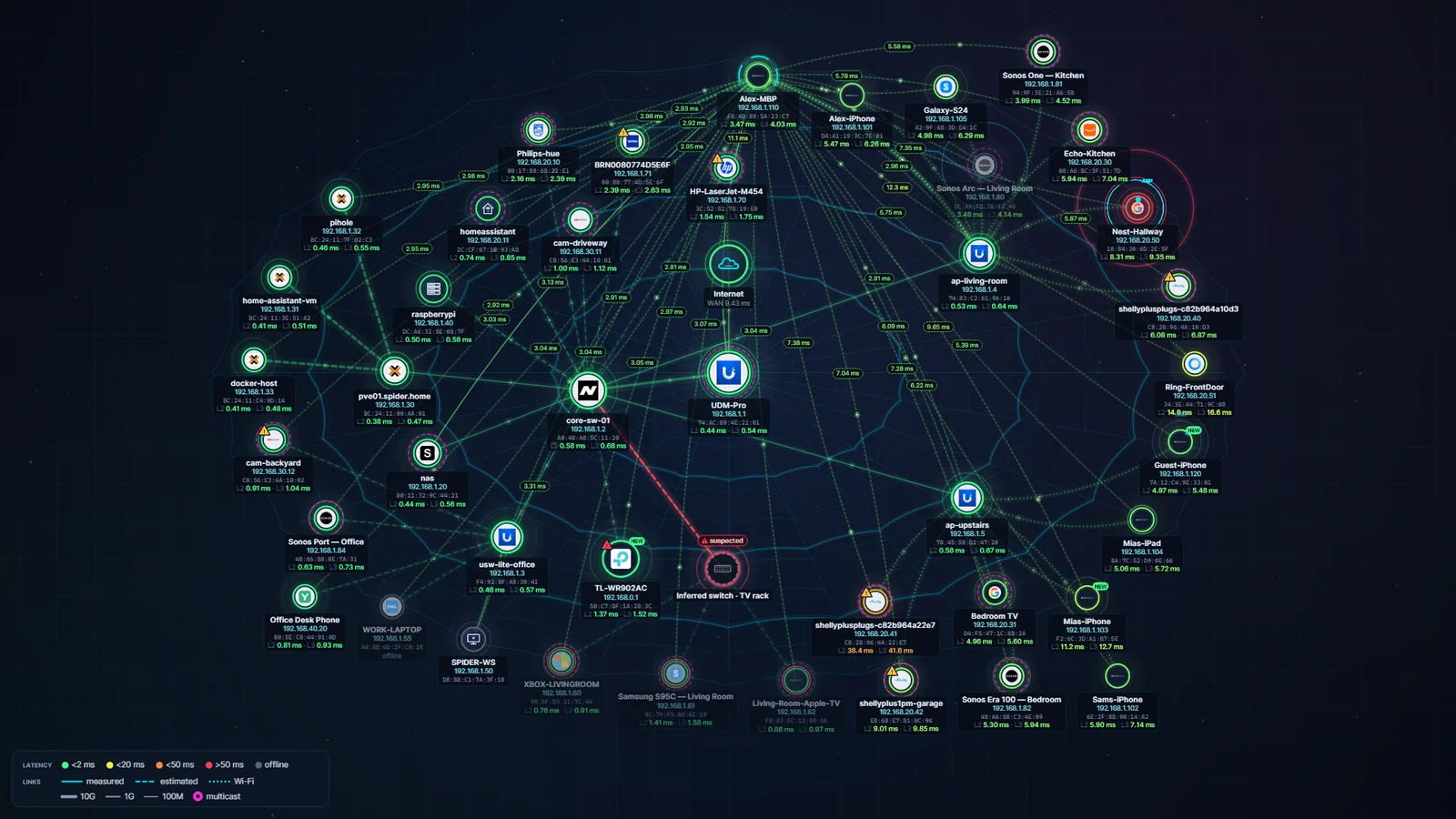
Today we are releasing NetSpider 0.1.0, the first app in the FreeSense family that runs on your desktop rather than on your firewall. FreeSense protects the edge of your network; NetSpider shows you what happens inside it.
NetSpider finds every device on your network, identifies it, and measures latency both at the MAC level (ARP/NDP) and at the IP level (ICMP/TCP). The results appear as a live, animated spider web, so a slow access point or a failing switch stands out at a glance.
Path Doctor: where does it break?
Path Doctor continuously probes every hop from your PC through access points, switches, the router, the ISP modem and the ISP's own hops. When something stops answering, its fault locator combines the first failing hop, the devices that dropped at the same time and switch-port evidence into an incident with a plain-language root cause and a confidence score.
Storms, loops and Wi-Fi
Storm Center tracks broadcast, multicast and unknown-unicast levels against a learned baseline and maps the top sources to their switch port. On a PC with both Ethernet and Wi-Fi, NetSpider can measure true one-way latency across the switch and access point by sending frames on one adapter and catching them on the other.
Get it
NetSpider is Apache-2.0 licensed and runs on Windows 10 and 11 (x64, ARM64 and x86). Choose the per-user Setup.exe for automatic updates, a standalone exe or portable zip, or the MSI for managed deployment. It needs Npcap for packet capture and will guide you through installing it. This first build is not code-signed yet, so Windows SmartScreen may ask you to confirm.